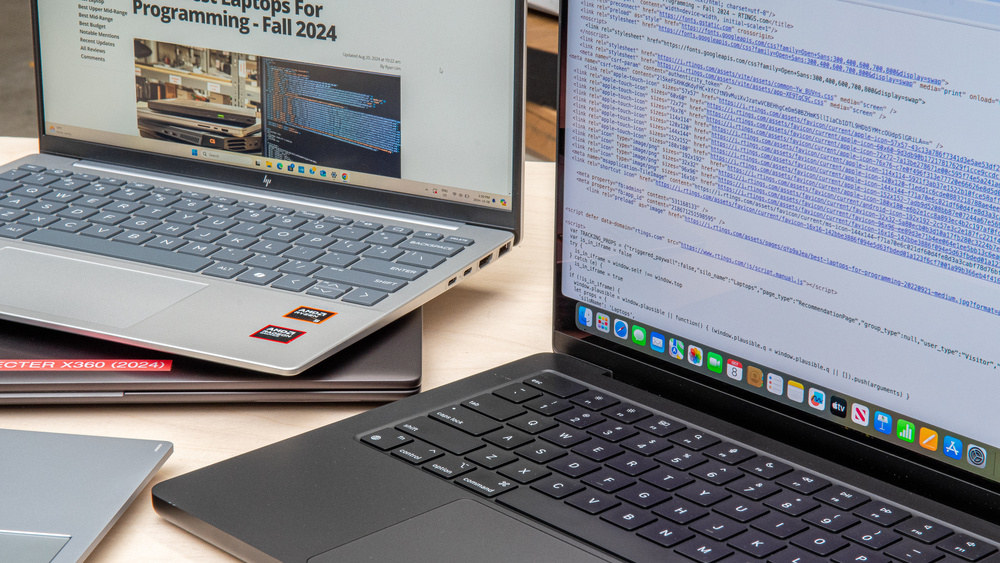
Here’s a practical, student-friendly list of the best budget laptops for students and coders in India — models that can handle everyday study tasks and coding tools like VS Code, Python, Java, web development IDEs, and light multitasking without breaking the bank. Most of these sit comfortably in the real-world budget range many students aim for, and you can scale up if your workload gets heavier. Ram Prasad K S V N S Recommends+1

ASUS Vivobook Go 15 Ryzen 5
₹35,990
•
Reliance Digital

Dell Inspiron 3520 Laptop
₹36,490
•
amazon.in + others

Dell Latitude 5440
₹39,889.89
•
Dell India

Lenovo IdeaPad 1 AMD Ryzen 5
₹36,300
•
amazon.in + others

Asus Chromebook (Celeron)
₹21,990
•
Flipkart

HP Chromebook X360
₹27,990
•
Flipkart

Lenovo Ideapad 3
₹18,190
•
Tradeindia.com + others

JioBook 11
₹12,990
•
amazon.in + others
💻 Best Budget Laptops for Coding & Student Work
ASUS Vivobook Go 15 Ryzen 5 – Strong all-rounder
- 💡 AMD Ryzen 5 CPU, 8GB+ RAM, SSD storage — smooth day-to-day and entry-level coding
- 🧑💻 Great for Python, web dev, VS Code, office work, browsing, and lectures
- 💸 Excellent value under ~₹40K on deals — a sweet spot for coding + multitasking Udaipur Kiran
Dell Inspiron 3520 Laptop – Trusted brand, balanced specs
- 💡 Reliable general performance with Intel CPU and Full HD screen
- 🧑💻 Good for students who want a durable Windows laptop for classes and programming
- 🧠 Large review base means consistent real-world usability
Dell Latitude 5440 – Compact student laptop
- 💡 A smaller form-factor laptop that’s still capable for coding and studies
- 🧑💻 Suitable if you prefer portability and decent everyday performance
Lenovo IdeaPad 1 AMD Ryzen 5 – Great value pick
- 💡 Ryzen processor with good performance for the price
- 🧑💻 Solid for coding practice, assignments, and light multitasking
💡 Bonus Picks — Really Tight Budgets
If you’re on a super-tight student budget and mainly need a laptop for web-based tasks, documents, and light coding (like Python basics or online editors):
Asus Chromebook (Celeron) – Chromebook for web-centric workflows
- Great battery life and light OS
- Best for Google Docs, basic coding via Cloud IDEs
HP Chromebook X360 – Chromebook with flexible hinge
- Good for note-taking, browsing, and web tools
Lenovo Ideapad 3 – Classic budget laptop
- Useful if you need Windows and basic coding tools locally
JioBook 11 – Ultra-budget choice
- Ideal for very basic student needs (notes, documents, browsing)
📌 How to Choose the Right One
Here’s what most experts recommend for students and coders in 2025:
✅ Processor: Aim for at least a Ryzen 3/Core i3 or better — this helps IDEs and compilers run smoothly. Udaipur Kiran
✅ RAM: 8GB minimum; 16GB if you often work with large projects or multiple IDE windows. Udaipur Kiran
✅ Storage: SSD (256GB or more) — this drastically improves boot and compile times over old HDDs. Windows News
✅ Display: Full HD (1920×1080) is easier on the eyes during long coding sessions. Windows News
✅ Portability & Battery: Students benefit from ~6–10 hours battery life and a weight under ~1.8kg. Udaipur Kiran
📍 Quick Recommendation Based on Use Case
Best for coding + multitasking (smart choice): ASUS Vivobook Go 15
Best for reliable everyday Windows use: Dell Inspiron 3520
Compact and portable: Dell Latitude 5440
Great price-for-performance: Lenovo IdeaPad 1
Best web-based student work: Chromebooks (Asus / HP)
Absolute budget: JioBook 11
💡 Final Tips Before You Buy
✔ Avoid laptops with only eMMC storage for coding — they’re fine for documents but slow for compilers.
✔ Look for SSD storage — it makes daily use snappy and more enjoyable.
✔ If your budget can stretch to ~₹45–50K, go for Ryzen 5 or Core i5 variants — it’s worth it for coding tools and long-term use. Udaipur Kiran
If you tell me your budget range (in ₹) and whether you prefer Windows or Chromebook, I can narrow this down to the top 3 perfect picks just for your need